

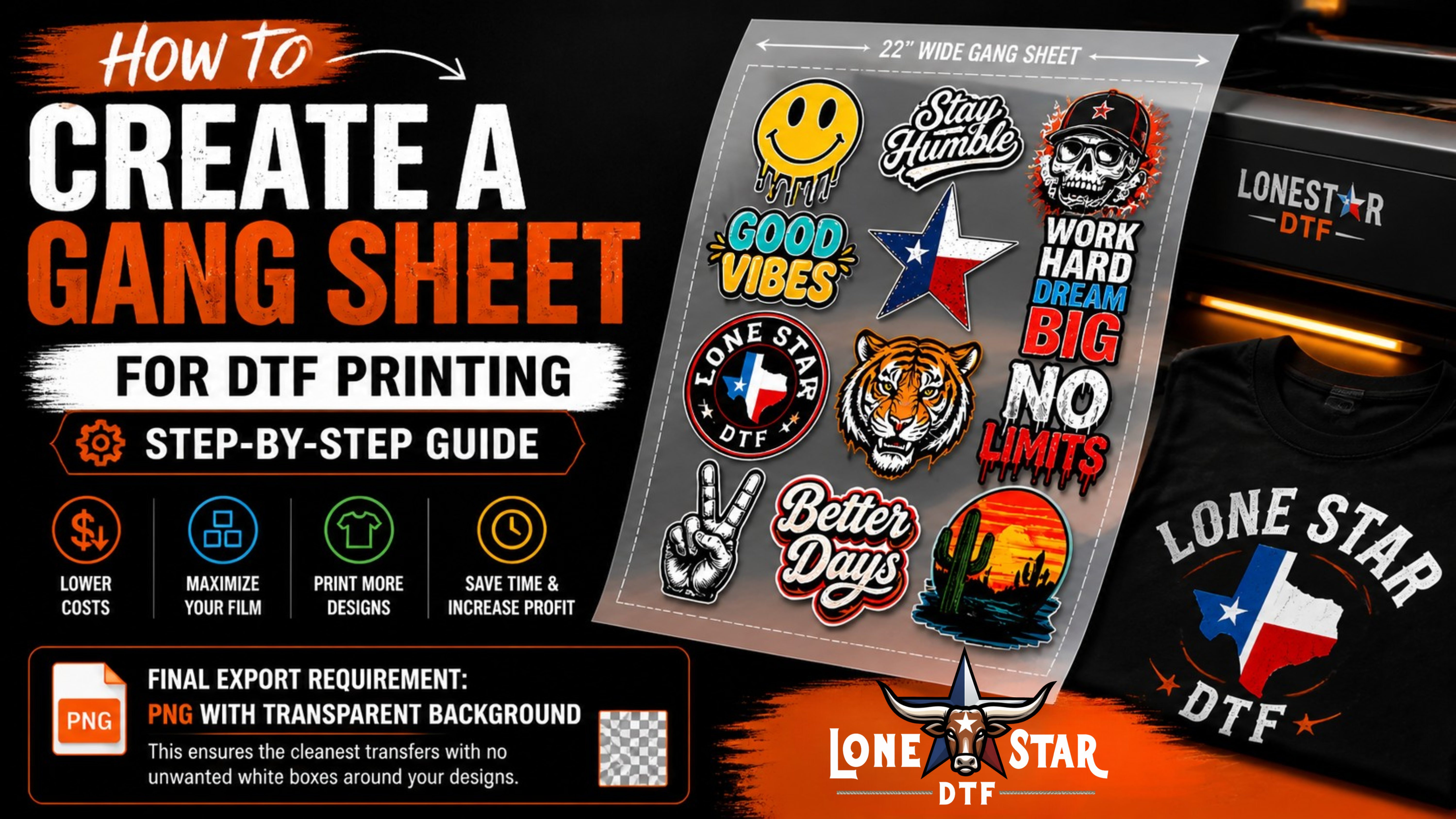

INTRO What Is a Gang Sheet?
A gang sheet is a single DTF transfer film that contains multiple designs arranged together and printed all at once. Instead of ordering each design on its own separate sheet, you combine them — filling every inch of the film as efficiently as possible.
The result: you pay for the film area used, not per design. The more designs you pack onto one sheet, the lower your cost per transfer. It's one of the smartest ways to reduce printing costs for businesses, print-on-demand sellers, sports teams, and event organizers.
12" × 10"
3" × 2"
4" × 4"
3" × 5"
8" × 10"
10" × 2"
4" × 4"
Don't want to build your gang sheet manually? LoneStar DTF's Auto Gang Sheet Builder at lonestardtf.com automatically arranges your uploaded designs as efficiently as possible — saving you time and maximizing your film usage.
GUIDE Step-by-Step: How to Create a Gang Sheet
Prepare Your Artwork
Before building your gang sheet, every design needs to be print-ready. Use any graphic design software — Adobe Illustrator, Photoshop, CorelDRAW, Canva, or Affinity Designer.
The final export that is exported must be PNG with transparent background.
Your files must meet these requirements:
The final export that is exported must be PNG with transparent background.
Set Up Your Film Canvas
Open a new document in your design software and set the canvas to your film width. LoneStar DTF offers rolls in 13-inch and 22-inch widths — the length extends as long as you need.
Import each design file into the document. Arrange them side by side, stacking tightly with minimal white space between designs. The goal is to fill as much of the film as possible — every unused inch costs money.
Upload to LoneStar DTF
Once your gang sheet file is ready, upload it directly at lonestardtf.com/pages/upload-gang-sheet. Select your film width and enter the length of your sheet.
Alternatively, use the Auto Gang Sheet Builder — upload individual designs with quantities, and the tool automatically builds the most efficient layout for you. No design software needed.
Heat Press onto Your Garment
When your transfers arrive, applying them is straightforward. Cut out each individual design from the gang sheet. Place the transfer face-down on your garment exactly where you want it positioned.
| Setting | Specification | Notes |
|---|---|---|
| Temperature | 280–330°F | Lower end for delicate fabrics |
| Pressure | Medium-Heavy | Firm, even pressure across design |
| Press Time | 10–15 seconds | Initial application press |
| Peel | Hot or Cold | Depends on film type |
Peel, Final Press & Quality Check
After the initial press, peel the film away carefully. Then do a final press for 5–8 seconds with a parchment sheet or Teflon cover over the design — this seals the edges and maximizes long-term durability.
Inspect each transfer: check that the design adheres fully across all edges, colors are vibrant with no fading, and there are no lifted corners. If any area didn't bond fully, re-press that spot for a few more seconds.
WHY USE Benefits of Using Gang Sheets
Gang sheets aren't just a money-saving trick — they fundamentally change how efficiently you can run a custom apparel operation:
Significant Cost Savings
Pay for film area, not per design. Packing multiple designs onto one sheet can reduce your cost per transfer by 40–70% compared to individual transfers.
Faster Production
One print run produces all your designs at once. No waiting for multiple individual print jobs — perfect for sports teams, events, and business orders.
Full Design Control
Mix any combination of designs — different sizes, logos, player names, numbers, and graphics — all on one sheet exactly how you need them.
Zero Film Waste
Efficient layouts use every inch of the transfer film. No wasted blank areas — better for your budget and better for the environment.
Ready to Apply
Transfers arrive pre-printed and ready to heat press. No setup, no screens, no inks — just cut, press, and peel.
Easy Reordering
Save your gang sheet file and reorder the exact same layout anytime. Consistent results for repeat orders with no redesign time.
A San Antonio youth soccer team needs 18 jerseys — each with a front logo, back number, and player name. That's 54 individual designs. On separate transfers that's expensive. On a gang sheet, all 54 fit on 2–3 sheets — same quality, fraction of the cost.
★ What Customers Say
"The Auto Gang Sheet Builder saved me so much time. I uploaded 12 different designs, set my quantities, and it arranged everything perfectly. The transfers arrived same day and the quality was incredible."
"My printer went down and I had a customer in Texas. I found LoneStar and he saved me. Vibrant prints, colors were spot on, and turnaround time was great. Gang sheets cut my costs in half."
"I use gang sheets every week for my Etsy shop. Being able to mix 8–10 different designs on one sheet and order just a few of each is exactly what I needed for a print-on-demand model."
FAQ Frequently Asked Questions
A gang sheet is a single DTF transfer film containing multiple designs arranged and printed together at once. It maximizes film usage, reduces cost per transfer, and is ideal for businesses or individuals who need several different designs printed efficiently on one sheet.
LoneStar DTF offers gang sheets in 13-inch and 22-inch roll widths. The length is fully customizable based on how many designs you need. You set the width and fill the sheet with as many designs as you need.
PNG files at 300 DPI with transparent backgrounds are ideal. This ensures clean prints with no unwanted white boxes around your designs. AI and PDF files are also accepted. Avoid JPEG files as they do not support transparent backgrounds.
Yes. LoneStar DTF's Auto Gang Sheet Builder at lonestardtf.com allows you to upload your designs, set quantities for each, and the tool automatically arranges them in the most efficient layout on the film — no design software required.
Cut out each design from the gang sheet. Place the transfer face-down on your garment. Press with a heat press at 280–330°F with medium-to-heavy pressure for 10–15 seconds. Peel the film and do a final press for 5–8 seconds with a parchment sheet to seal the edges and maximize durability.
Build Your Gang Sheet Today
Upload your designs or use our Auto Builder — same-day printing available for orders before 3 PM CST. No minimums, no setup fees.




)